
Guide · AI in practice
Fixing code and apps built with AI: when to do it and how it is fixed
Companies use AI to build apps, websites and automations, and more and more of them hire people to fix what the AI leaves half-finished. According to Upwork, job posts for fixing or finishing AI-generated work grew 70% year on year. This guide explains what fails, how to tell your project needs rescuing and how it gets fixed.
What the data says: work fixing what AI produces is growing
AI speeds up many tasks, but what it delivers is rarely ready to use as it stands. Three recent sources point the same way. They should be read with their limits in mind, because they come from companies that sell services in this market.
| Figure | Source | How to read it |
|---|---|---|
| +70% year on year in job posts to fix or finish AI-generated work | Upwork Research (12-month average) | These are job posts on a platform, not internet searches. Upwork’s own data. |
| ×8.3 in software and ×7.9 in creative design since 2023 | Upwork Research | They grow from a small base and absolute volumes are not published. |
| Up to +70% in completed projects when a human expert reviews the AI’s work | Upwork, Human+Agent Productivity Index (November 2025) | More than 300 real, simple projects under $500, with GPT-5, Claude Sonnet 4 and Gemini 2.5 Pro. It does not measure tone or style. |
| 58% spend 3 hours or more a week reviewing or redoing AI output; the average is 4.5 hours | Zapier (1,100 AI users at companies) | A survey by an automation vendor, based on what workers report themselves. |
| 74% suffered at least one negative consequence from low-quality AI output | Zapier | The most cited: work rejected internally (28%), a privacy or security incident (27%) and a customer complaint (25%). |
A cautious reading. Nobody can say that fixing AI is “the only job that will survive”. What the data does show is that AI does not replace human review: it moves it to another part of the process. The same Zapier study reports that 92% of workers believe AI raises their productivity. It saves time and, at the same time, needs someone to check the result.
Where AI fails when it builds software
A project built with AI can look good in a demo and still have problems that only appear with real users, real data and real money. These are the failures we see most when reviewing this kind of code.
Security
Keys and passwords inside the code, user data left unvalidated, badly defined permissions and outdated or non-existent libraries.
GDPR and the AI Act →Business logic
AI does not know your rules or the edge cases: prices, discounts, order states, role permissions or exceptions.
Integrations
APIs used badly, payments that do not handle retries or errors, incomplete webhooks and tasks that fail without warning.
Integration into your systems →Data
Databases without migrations or backups, slow queries that show up as you grow, and duplicated or inconsistent data.
Maintenance
Repeated code with no automated tests and hard to change: every fix breaks something else.
Custom development →Production
No test environment, no monitoring or alerts and no plan if something goes down.
Signs your AI-built project needs rescuing
- It works in the demo and fails with real users. Errors that only show with real data or volumes.
- Every change breaks something else. Nobody dares touch the code.
- Nobody can explain how it is built. There is no documentation, clear structure or tests.
- Keys, passwords or customer data are visible in the code or in a public repository.
- There are no backups or a test environment separate from the real one.
- Cloud or AI call costs shoot up and you do not know why.
- You handle personal data without having reviewed GDPR. If that is you, start with the GDPR and AI Act guide.
If you recognise three or more, a technical review is worth doing before you add more features: every new feature on a fragile base multiplies the problem.
How it is fixed: from review to production
- Audit. The code is read and run, and a risk map of security, data, performance and maintenance is drawn up, with priorities.
- An honest decision. Fix, stabilise or rebuild. Sometimes rebuilding on a solid base costs less than patching.
- Stabilise. Critical failures are fixed, security problems closed and tests added to the flows that cannot fail: sign-up, payment, data submission.
- Tidy what will keep being touched. Structure, dependencies and minimal documentation so someone else can carry on.
- Production with a safety net. Separate environments, backups, repeatable deployment, monitoring and alerts.
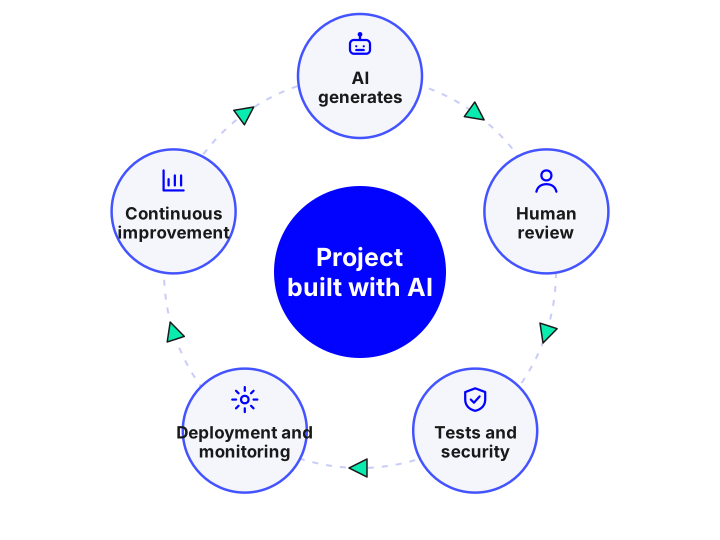
- Rules for using AI with control. Human review of every important change, mandatory tests and a guide to what can and cannot be asked of AI.
| Your situation | What usually makes sense |
|---|---|
| A prototype with no users, built to test an idea | Rebuild on a solid base if the idea is confirmed; do not invest in patching. |
| An MVP with real users and isolated failures | Stabilise: fix what is critical, add tests and put it into production with a safety net. |
| A product with personal data, payments or health data | Start with a security and compliance audit before anything else. |
| Automations or AI agents in the company | Review permissions, limits and human oversight; see how to implement AI with control. |
Reference prices for a review and fix
| What is done | Indicative investment | Typical timeline |
|---|---|---|
| Technical audit of code, security and architecture, with a report and plan | €1,500 – €6,000 | 1 – 2 weeks |
| Stabilising an AI-built MVP: critical failures, tests and a safe move into production | €5,000 – €25,000 | 3 – 8 weeks |
| Partial rebuild or migration to a solid base | €15,000 – €60,000 | 2 – 5 months |
Indicative reference prices in euros, excluding VAT. They depend on the size of the project, the state of the code and how many users and how much data there is. They are confirmed after a first review.
This is what we offer as an AI-built project rescue service. If what you need is to start an AI project on a solid base from day one, see custom AI app development or request a quote.
How to avoid “workslop” in your company
Zapier’s report uses workslop for AI-generated content that looks polished but lacks the precision or context needed. These measures, based on its recommendations and on what we see in projects, reduce the problem:
- Mandatory training in evaluating AI output, not just in using it.
- Approved context: terminology, policies and company data prepared to give to the AI, rather than each person improvising.
- Formal review of what matters: anything that goes to customers, finance or legal affairs passes through a person with a checklist.
- Measure correction time: how many hours a week go on reviewing and redoing, and which errors repeat. See how to measure the ROI of an AI project.
- Start with the highest risk: first the flows with customer data, money or legal requirements.
Sources
- Upwork Research: AI-generated work is creating more work for humans (“AI remediation” job posts: +70% year on year; ×8.3 and ×7.9 since 2023).
- Upwork: Human+Agent Productivity Index (13 November 2025).
- Zapier: “AI workslop” survey (1,100 AI users at companies).
The figures come from the platforms themselves and from a survey commissioned by a vendor; they have not been independently verified. We review this article when new data appears.
Frequently asked questions
Can an app created with ChatGPT or “vibe coding” tools be fixed?
Usually yes. It starts with an audit to see what is there: sometimes it is enough to stabilise it and add tests and security, and other times it is better to rebuild the critical parts on a more solid base.
Is it better to fix the code or rebuild it?
It depends on its state and on whether it already has users. With a prototype that has no users, rebuilding usually works out better; with an MVP already working for customers, the usual approach is to stabilise and improve it in parts.
How much does it cost to fix AI-generated code?
A technical audit costs between €1,500 and €6,000, and stabilising an MVP between €5,000 and €25,000, depending on the size and state of the code. These are reference prices excluding VAT; they are confirmed after a first review.
Will the work of fixing what AI does keep growing?
Upwork’s current data show strong growth, but nobody can guarantee how it will evolve. The reasonable assumption is that human review will remain necessary for what matters: security, data and decisions.
What do you need to start an audit?
Read access to the repository or code, a description of what the application should do, where it is deployed and what problems you see. We sign a confidentiality agreement if you need one.
Do you have an app or website built with AI that is failing?
Tell us what it does and what it does not. We reply within 24-48 hours with a first assessment: fix it, stabilise it or rebuild it, and with how much effort.
Tell us about your project
Describe what you want to achieve and which systems you work with. We reply within 24-48 hours.
Artificial intelligence services and guides
Everything we do with AI for business, from the diagnostic to the product in production. Artificial intelligence for business.
Services
- AI agents for businessSystems that plan and carry out tasks on your CRM, ERP and email.
- Custom AI chatbots24/7 support and sales on web and WhatsApp, connected to your systems.
- Assistant over your company documents (RAG)An AI that answers with your information and cites the source.
- AI integration in apps and softwareAdd language models to your product without rebuilding it.
- Artificial intelligence consultingDiagnostic, prioritised cases and a roadmap with return.
- Machine learning and predictive analyticsDemand forecasting, churn, anomalies and predictive maintenance.
- Computer vision and OCR with AIReading invoices and delivery notes and image-based quality inspection.
- Custom AI app developmentApps and platforms with AI built in from the design stage.
- Process automation with AIWorkflows that save hours of manual work.
- AI voice assistantsPhone agents that answer calls and book appointments using your systems.
- AI recommendation systemsPersonalisation and recommendations measured with A/B tests.
- Rescue of AI-built projects
Guides
- AI agent, chatbot or assistant: differences
- How much an AI chatbot or agent costs
- What RAG is and how to use it in your company
- AI use cases in business by department
- How to implement AI in a small business
- n8n, Make, Zapier or custom development
- How to choose the AI model for your company
- AI, GDPR and the AI Act: what to review
- How to measure the ROI of an AI project
- How to appear in ChatGPT and AI Overviews
- What is MCP (Model Context Protocol)
- Automation with n8n for business
- 17 tools to develop apps with AI
- Mobile apps with artificial intelligence
- 10 AI automations for small businesses
- WhatsApp Business with AI: customer service
- AI in mobile apps: device or cloud
AI by sector
- AI for e-commerce
- AI for real estate
- AI for clinics and healthcare
- AI for logistics and transport
- AI for human resources
- AI for insurance and brokerage
- AI for industry and manufacturing
- AI for hospitality and restaurants
- AI for law and accounting firms
- AI for education and e-learning