
Guide · Automation
10 AI automations for small businesses that really save time
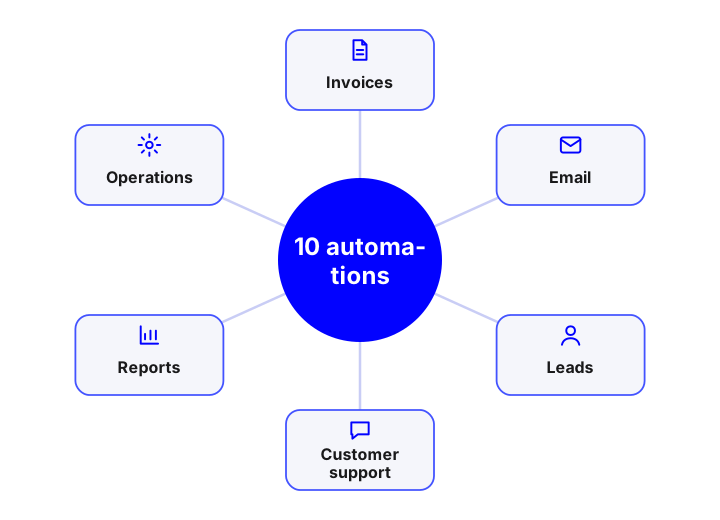
The AI automations that work best in a small business are those that tackle repetitive, text-heavy tasks: reading invoices, sorting email, qualifying leads, answering frequent questions, summarising meetings or preparing reports. They are built with n8n or custom code, take weeks rather than months, and it is best to start with one and measure the saving.
How to choose where to start
A good first automation meets four conditions: high volume, a repetitive task with text or documents, low risk if it fails and a saving that is easy to measure. The ten below meet them to a greater or lesser degree. To decide with data, first measure how much time the process consumes today and what volume it has; the rest is execution. If you want a full guide, see how to implement AI in a small business.
The 10 automations
| # | Automation | What it does | Difficulty |
|---|---|---|---|
| 1 | Reading invoices and receipts | Extracts supplier, amounts and taxes, validates and leaves them ready to post | Medium |
| 2 | Email sorting and replies | Labels, prioritises, drafts replies and forwards to the person in charge | Low |
| 3 | Lead qualification | Collects forms and messages, scores them against your criteria and assigns to the salesperson | Low |
| 4 | Answering frequent questions | A chatbot answers from your documents and hands complex cases to a person | Medium |
| 5 | Meeting summaries and tasks | Transcribes, summarises and creates tasks in your management tool | Low |
| 6 | Periodic reports with commentary | Consolidates data from several sources and writes the summary for management | Medium |
| 7 | Customer and supplier onboarding | Reads onboarding documents, validates data and records them in the CRM or ERP | Medium |
| 8 | Order tracking and alerts | Detects delays and notifies the customer or team with context | Medium |
| 9 | Web and social content with review | Drafts of product pages, descriptions and posts that a person reviews | Low |
| 10 | Search in internal documentation | An assistant answers with your procedures and cites the source | Medium |
The ten, in a little more detail
1 · Invoices and receipts
The classic case with a clear return. It combines OCR and extraction AI, accounting rules and a review queue for the doubtful ones.
Vision and OCR →2 · Email
Sorts by type and urgency, drafts a reply and leaves it as a draft. Start without sending anything automatically.
3 · Leads
Stops contacts going cold: immediate reply, qualification and a CRM task with a summary.
Custom CRM →4 · Frequent questions
A chatbot over your own information reduces interruptions and answers out of hours.
AI chatbots →5 · Meetings
Minutes and tasks without typing. Mind the consent of participants and where the recording is stored.
6 · Reports
A scheduled flow gathers data and writes the commentary; a person validates the figures before sending.
7 · Onboarding
Fewer mistakes when recording customers and suppliers and fewer back-and-forths over incomplete documents.
8 · Orders and alerts
Detects deviations and communicates in time, with the order context at hand.
Logistics software →9 · Content
Saves time on writing tasks, but with review: tone and data must be yours.
10 · Internal search
Procedures, contracts and manuals within reach of the whole team, with permissions.
RAG assistant →What they are built with
For most of these automations, a workflow tool such as n8n together with a language model and your systems’ APIs is enough. If the volume is high, the logic is complex or the process is critical, custom development pays off. To decide between tools, read n8n, Make, Zapier or custom development.
How to start without complicating things
- Pick one from the list with clear volume and low risk.
- Measure the starting point: minutes per task, tasks per month and errors.
- Build a minimal version with a person reviewing the result.
- Measure the real saving over 4-8 weeks and decide whether to expand.
- Document what it does, who maintains it and what data it uses.
If you prefer us to help you prioritise, the AI diagnostic turns this list into a plan with costs and timelines.
Common mistakes
- Automating a poorly defined process: first it has to be put in order.
- Sending automatic replies to customers without a human review phase.
- Building many loose automations with no documentation or owner.
- Sending personal data to services without a data processing agreement.
- Not planning for failures: without retries, alerts and logging you do not know what was lost.
Frequently asked questions
What can be automated with AI in a small business?
Repetitive tasks with text or documents: reading invoices, sorting email, qualifying leads, answering frequent questions, meeting summaries, reports and search in internal documentation.
How much does automating a process with AI cost?
A simple automation usually costs between €1,500 and €5,000; a system with several flows, AI and an exceptions panel, between €6,000 and €25,000. These are reference prices excluding VAT.
How long does it take to be up and running?
A simple flow can be in production in 2-4 weeks and one with several integrations in 6-12 weeks.
Do I need a technical team?
Not necessarily. You need someone responsible for the process and, for the technical part, a provider or a person with integration skills; it is advisable to keep documentation and control of the data in your hands.
Is it safe to send my data to an AI model?
It depends on the provider and the contract. Data is minimised, processing agreements are signed and, for very sensitive information, models in your infrastructure or in the EU are used.
Shall we talk about your project?
Tell us about your case and we will reply within 24-48 hours with a proposed scope and an indicative quote.
Tell us about your project
Describe what you want to achieve and which systems you work with. We reply within 24-48 hours.
Artificial intelligence services and guides
Everything we do with AI for business, from the diagnostic to the product in production. Artificial intelligence for business.
Services
- AI agents for businessSystems that plan and carry out tasks on your CRM, ERP and email.
- Custom AI chatbots24/7 support and sales on web and WhatsApp, connected to your systems.
- Assistant over your company documents (RAG)An AI that answers with your information and cites the source.
- AI integration in apps and softwareAdd language models to your product without rebuilding it.
- Artificial intelligence consultingDiagnostic, prioritised cases and a roadmap with return.
- Machine learning and predictive analyticsDemand forecasting, churn, anomalies and predictive maintenance.
- Computer vision and OCR with AIReading invoices and delivery notes and image-based quality inspection.
- Custom AI app developmentApps and platforms with AI built in from the design stage.
- Process automation with AIWorkflows that save hours of manual work.
- AI voice assistantsPhone agents that answer calls and book appointments using your systems.
- AI recommendation systemsPersonalisation and recommendations measured with A/B tests.
Guides
- AI agent, chatbot or assistant: differences
- How much an AI chatbot or agent costs
- What RAG is and how to use it in your company
- AI use cases in business by department
- How to implement AI in a small business
- n8n, Make, Zapier or custom development
- How to choose the AI model for your company
- AI, GDPR and the AI Act: what to review
- How to measure the ROI of an AI project
- How to appear in ChatGPT and AI Overviews
- What is MCP (Model Context Protocol)
- Automation with n8n for business
- 17 tools to develop apps with AI
- Mobile apps with artificial intelligence
- WhatsApp Business with AI: customer service
- AI in mobile apps: device or cloud
AI by sector
- AI for e-commerce
- AI for real estate
- AI for clinics and healthcare
- AI for logistics and transport
- AI for human resources
- AI for insurance and brokerage
- AI for industry and manufacturing
- AI for hospitality and restaurants
- AI for law and accounting firms
- AI for education and e-learning